Get to know the new FlipGive experience
We’ve made some updates to your FlipGive experience, while keeping the way you earn the same. Review the information below to see what’s changed and stay tuned for further updates and enhancements coming soon.
NEW TERMINOLOGY


Watch the earnings add up
With RaiseRight, the earning potential is limitless. Participants can shop and use gift cards 24/7, 365 days a year, with many earners surpassing $1,000+ each year.
| Expense Category | Monthly Budget* | RaiseRight Earnings Avg |
RaiseRight Annual Earnings |
|---|---|---|---|
| Groceries | $1,000 | 4% | $480 |
| Gas & Auto | $350 | 3% | $126 |
| Dining Out | $350 | 10% | $420 |
| Entertainment | $300 | 8% | $288 |
| Clothing | $250 | 8% | $240 |
| Home Improvement | $250 | 4% | $120 |
| Total | $1,674 |
*Based on average spend for a household family of 4
Highlights
Flexible Denominations
Choose your own eGift card amounts—no fixed denominations or minimum purchase requirements.

A Better Wallet
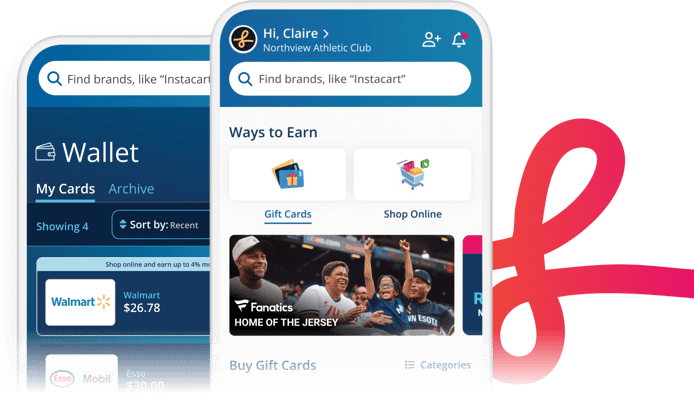
Now, more eGift card balances update automatically. Plus, archive used cards to keep your Wallet organized.

Improved Support
Connect directly with members of our support team via phone and live chat (during business hours), or email.

Automatic Payouts
Earnings are automatically paid to organizations on a regular schedule, as long as total earnings are $20 or more.
What's Changed?
eGift Cards
- Now available in variable amounts.
- No more minimum purchase requirements.
- Auto-balance tracking is available for more brands.
- Auto-reload for specific brands is no longer supported, however these eGift cards can still be reloaded manually.
Accounts & Earnings
- Transferring earnings is no longer supported—you can still earn for multiple organizations, but earnings will automatically be applied to whichever organization is set as your default at the time of your purchase. Learn More >
- Personal teams/accounts are no longer supported. All users need to earn as part of an organization, or through an organization’s FlipGive fundraising program.
Wallet & Order History
- Prior eGift card purchases can be found in your Wallet under Legacy Gift Cards, while newly purchased eGift cards can be found under My Gift Cards.
- Used eGift cards under My Gift Cards can be archived to keep your Wallet organized. Learn more >
- View all eGift card orders and online shopping activity in one place under Account > Order History. Learn More >
Goals & Leaderboard
- Personal goals are still available and can be set under Account > Personal Dashboard.
- Team newsfeeds and leaderboards are no longer supported.
Invites & Referral Rewards
- "Share team page" links and direct donations are no longer supported—friends and family need to enroll in your FlipGive program to participate and earn.
- Use the Invite Friends & Family tool to refer loved ones to join your program and earn. Learn More >
- Instead of guaranteed referral reward, referrals give you entries into a monthly Refer a Friend giveaway. Learn More >
FlipGive Browser Extension
- A one-time re-login will be required to update to the latest version.
- Some users may need to manually update to the latest version by clicking Update from within the browser extension.
For Program Coordinators (Formerly called Team Captains)
Earnings Payouts
- Earnings are now automatically paid out on a regular schedule—manual payouts are no longer supported. Payout schedule depends on how your program receives earnings:
- If your program receives earnings by bank transfer, and you have $20 or more in earnings, the initial payment will begin on August 3 and continue automatically on the first Monday of each month.
- If your program receives earnings by cheque, and you have $20 or more in earnings, the next cheque will be issued on August 3 and sent by post; after August, payouts will continue on a quarterly schedule
- Earnings from shopping online through FlipGive are only paid out after the brand’s return window, or after travel dates for travel brands—no early withdrawal request available.
- “Pending” earnings will no longer be shown—you’ll only see earnings that are verified or received.
Goals
- Goal setting is now solely focused on individual goals, rather than a shared goal for the entire program.
- Shared program goals will be broken down into goals per participant. For example, a shared goal of $1,000 for a program with 5 participants would break down into $200 individual goals.
Program Management & Reporting
- Manage your program and access all coordinator tools via your new Coordinator Dashboard. Visit Dashboard >
- New reporting is available to help you balance earnings deposits and payouts, and track earnings per participant. (Please Note: Transactions may take a few extra days to appear in reporting while we launch the new FlipGive experience.) Learn More >
- No need to close programs at the end of a season—earning can continue year-round, and earnings will automatically be paid each month, if the $20 minimum is met. Learn more >
Program Customization
- Custom images for FlipGive programs are no longer supported.
We're here to help!
Talk to our dedicated team of fundraising experts about:
- General account questions
- Strategies to boost earnings
- Ways your organization can use FlipGive
- And more
You can also visit our Help Center for answers to common questions.
Support@FlipGive.com
800-727-4715 Option 3
Submit a Question
Live chat during business hours